THE INSTRUCTOR CONSOLE, FOR FLIGHT SCHOOLS AND INSTRUCTORS
See how every student is really doing. Free.
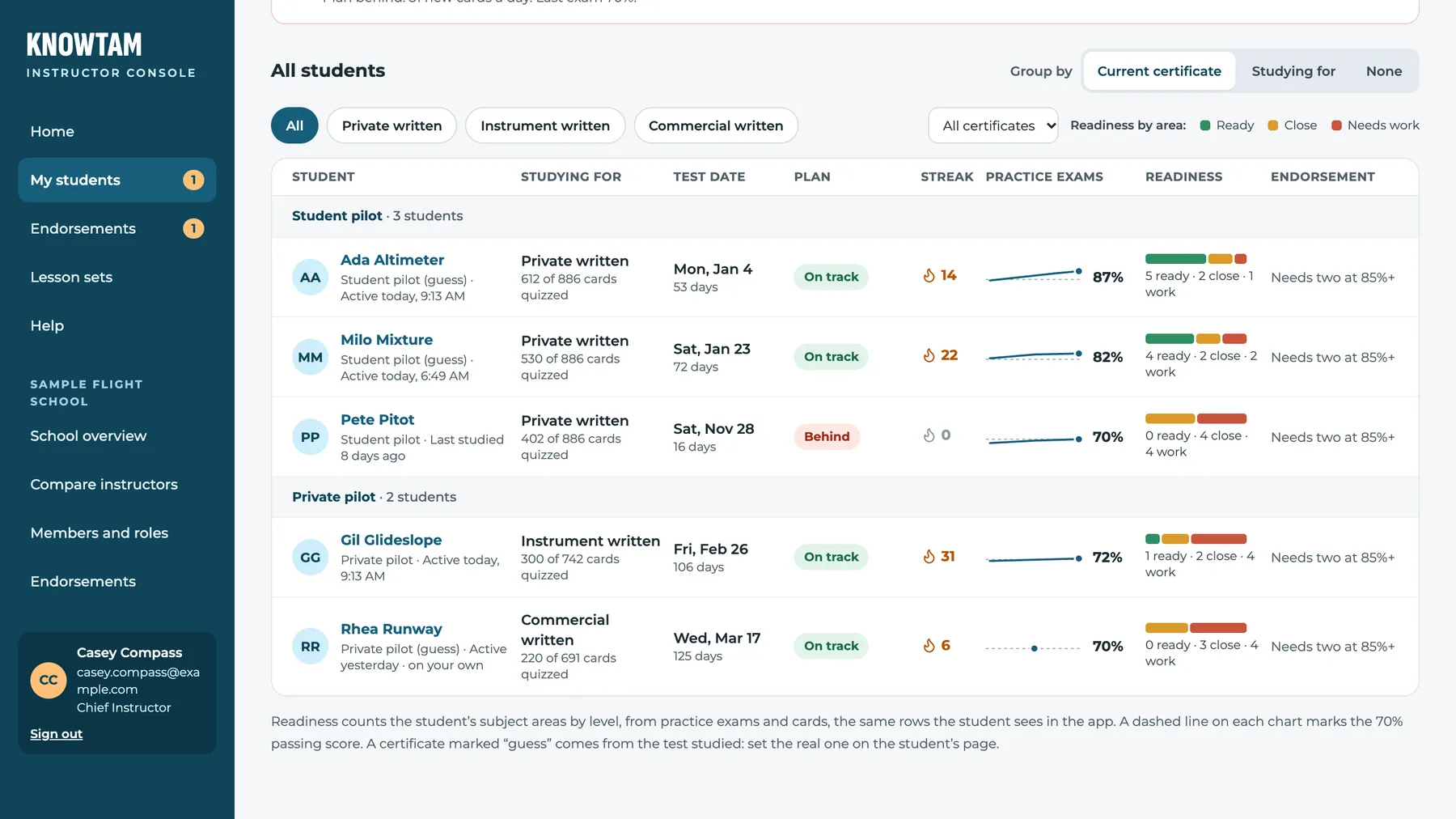
Your students study in the KnowTAM app. In the console you see their study plans, practice
exams, the questions they miss, and how ready they are, area by area. On any computer, with
no per-student fees, no contract, and nothing to install.
Sample data: every name is made up. Tap a screen to zoom.
WHAT YOU SEE
Every student, at a glance and in depth
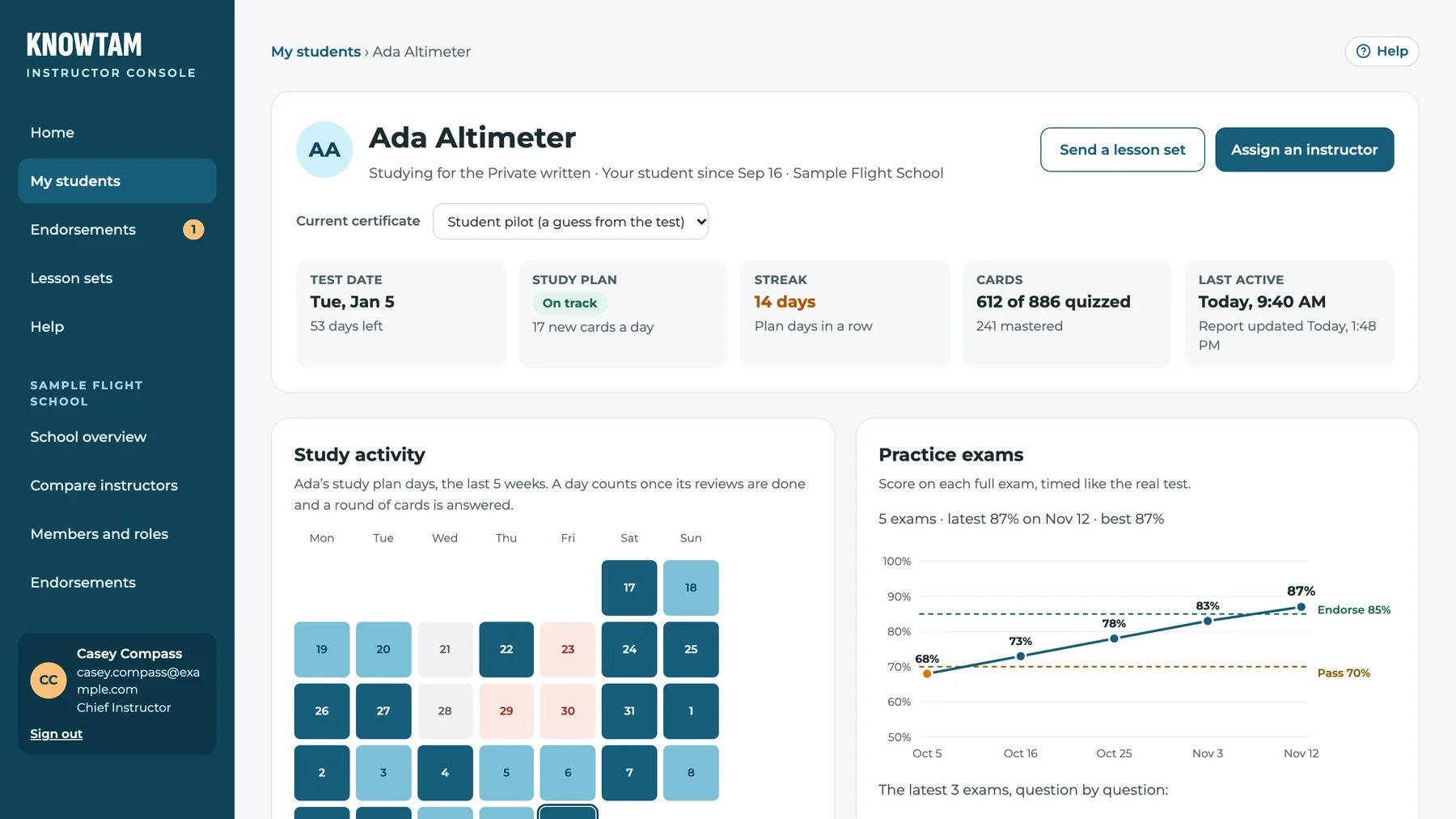
One page per student
The test and its date, whether the plan is on track, the streak, and when they last studied.
Each day of study for the past five weeks. Every practice exam, with its score against the
70% pass line and the 85% endorsement line, and the questions they missed with the answer
they picked.
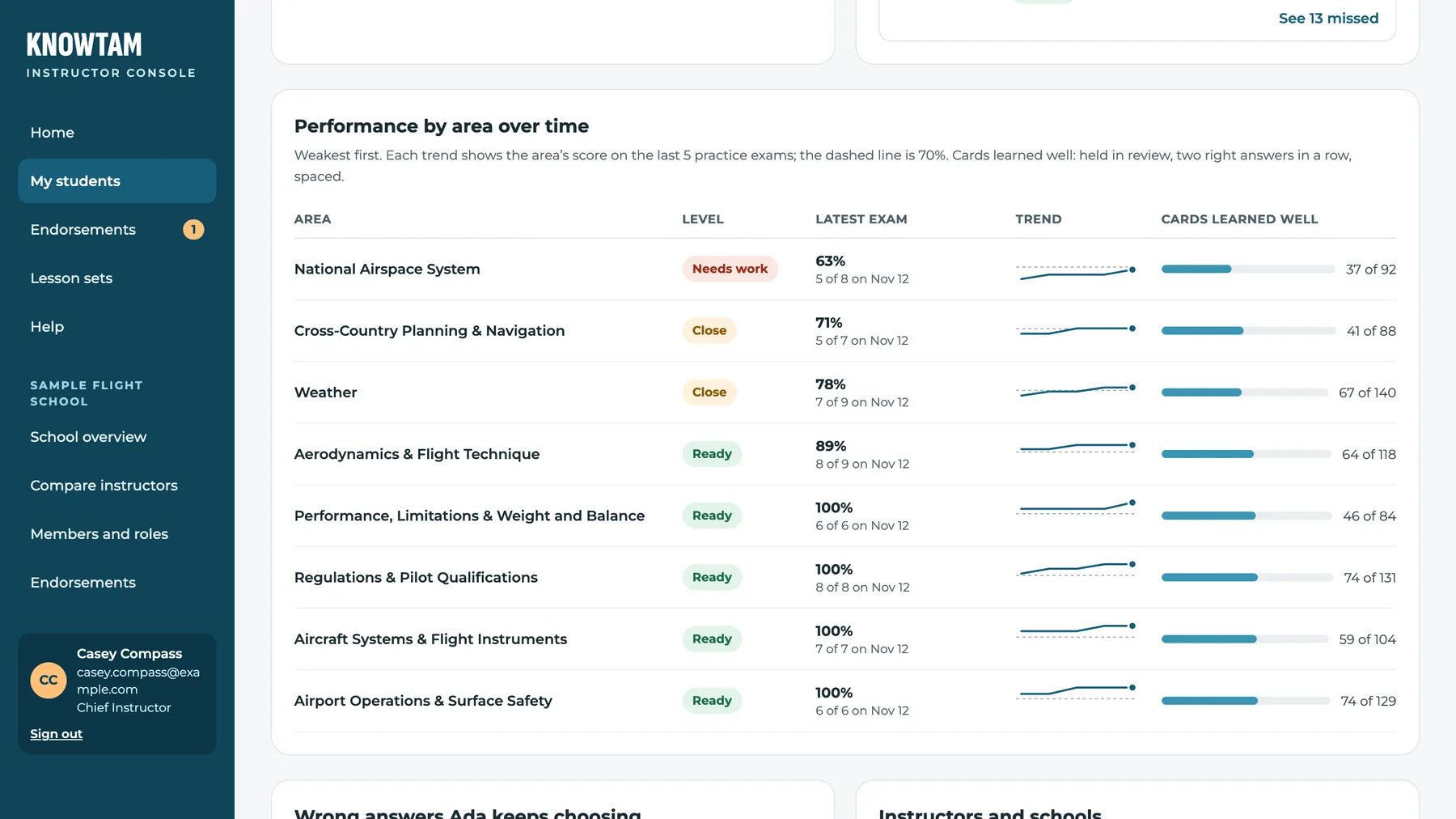
Ready, area by area
Each subject area's score on the last five practice exams, weakest first, marked Needs work,
Close, or Ready, with how many of its cards the student knows well. You know what to cover
before they sit the test.
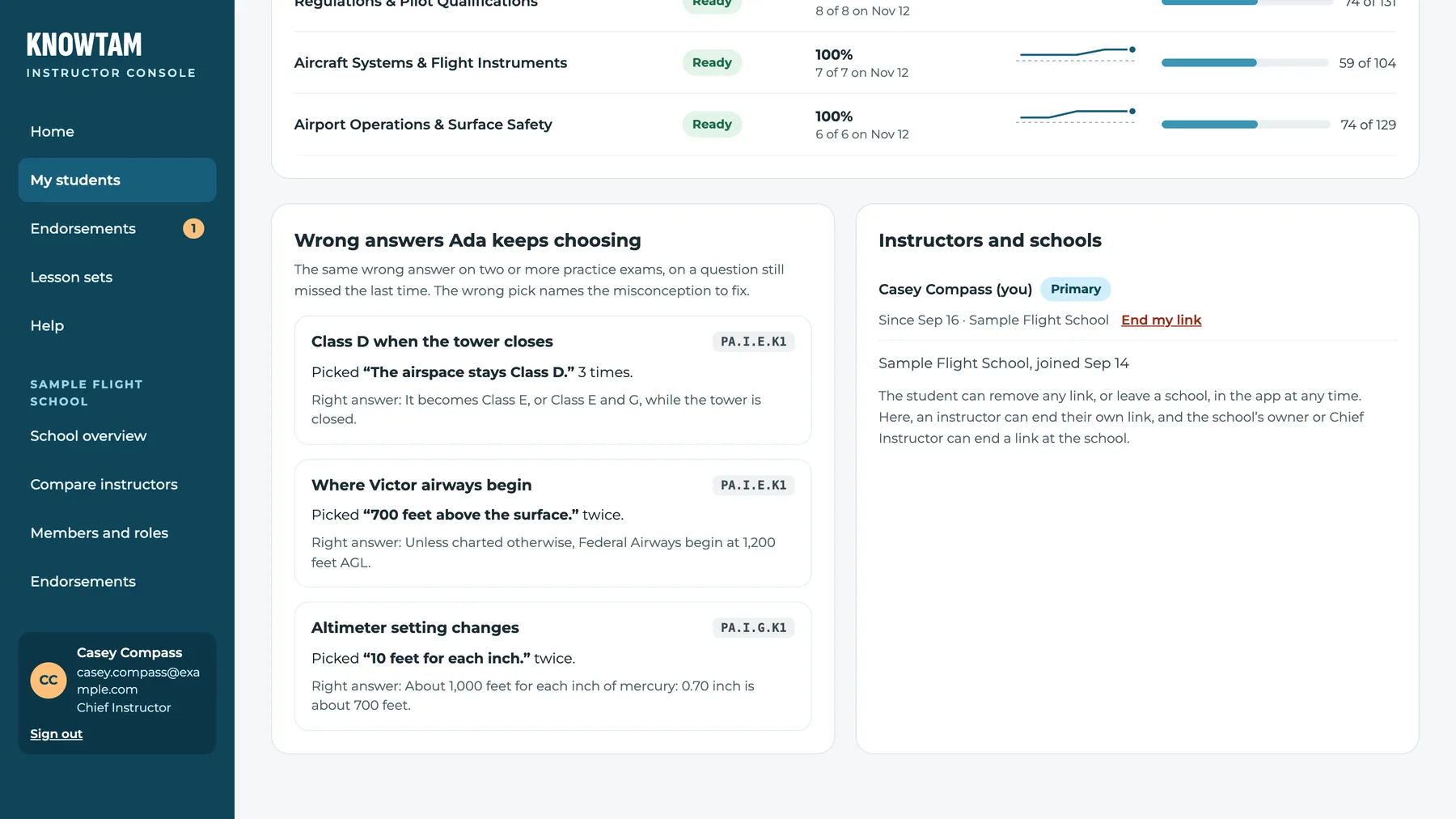
The wrong answers they keep choosing
When a student picks the same wrong answer on two or more practice exams, the console shows
the question, the answer they keep picking, and the right one. That's the misunderstanding
to clear up at the next lesson.
Send the next lesson's cards
Make a lesson set: pick up to 100 cards by area or by search, add a title, the lesson date, and
your notes, and send the link or show the QR code. It opens in the student's app as a quiz on the
cards, for students who have that course, and the answers count toward their progress.
KNOWLEDGE TEST ENDORSEMENTS
Sign endorsements in the console
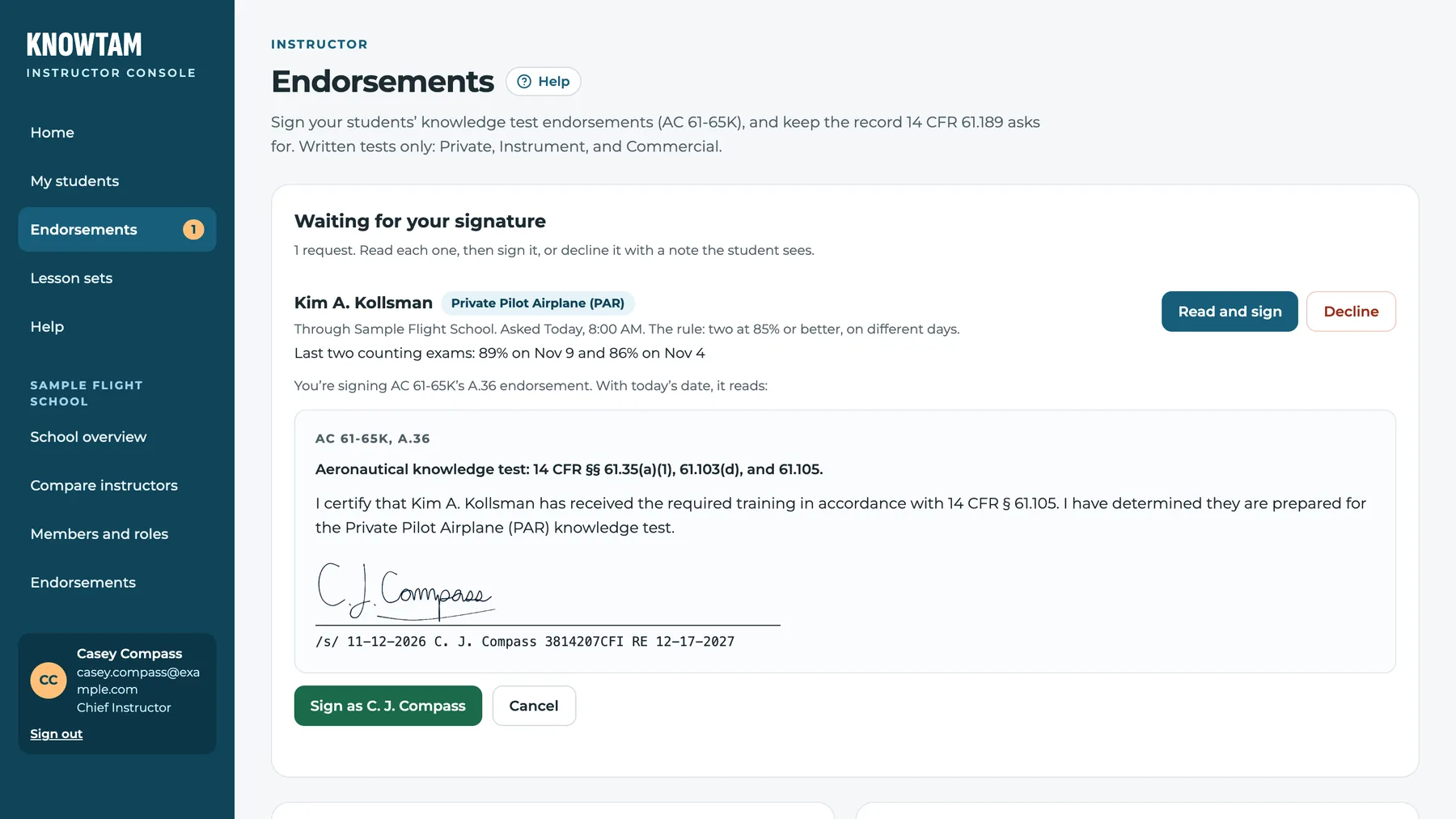
For the Private, Instrument, and Commercial written tests. When a student meets your score, they
ask in the app, and the request waits for you in the console.
The AC 61-65K wording (A.36, A.42, or A.38), with the student's last two practice exams beside it.
Your rule. Set the score your students need on their last two practice exams, 80% or higher.
Signed with care. You draw your signature once, behind two-step sign-in, and read each request before you sign it or decline it with a note.
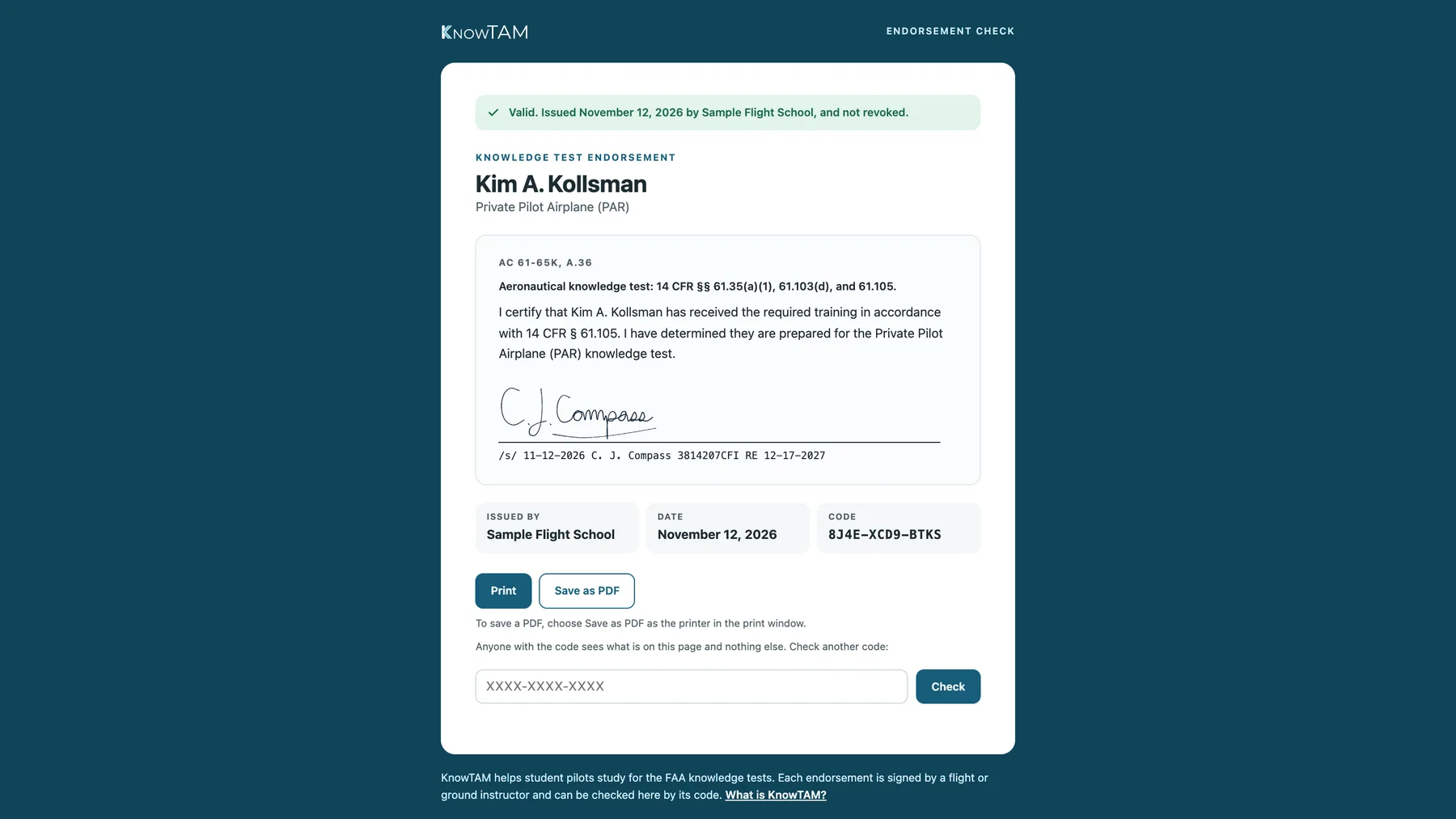
A page for each endorsement, with a code anyone can check, to print or save as a PDF for the testing center.
Records kept three years, as 14 CFR 61.189 asks, with a CSV download. Revoke one if you need to.
FOR FLIGHT SCHOOLS
Your whole school in one place
Invite your instructors
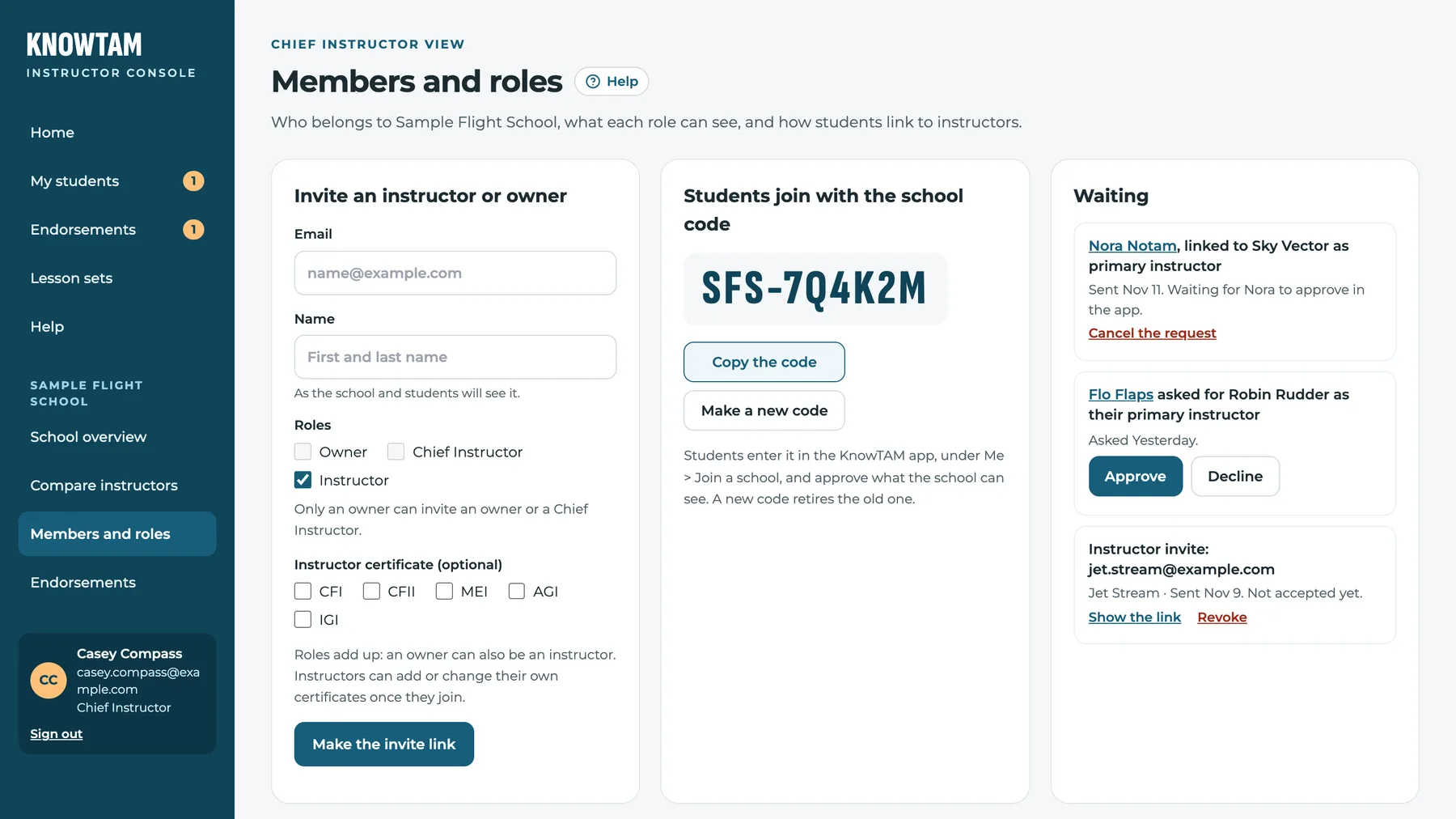
Invite instructors by email, name a Chief Instructor, and give students the school's code.
The Chief Instructor sees every student at the school.
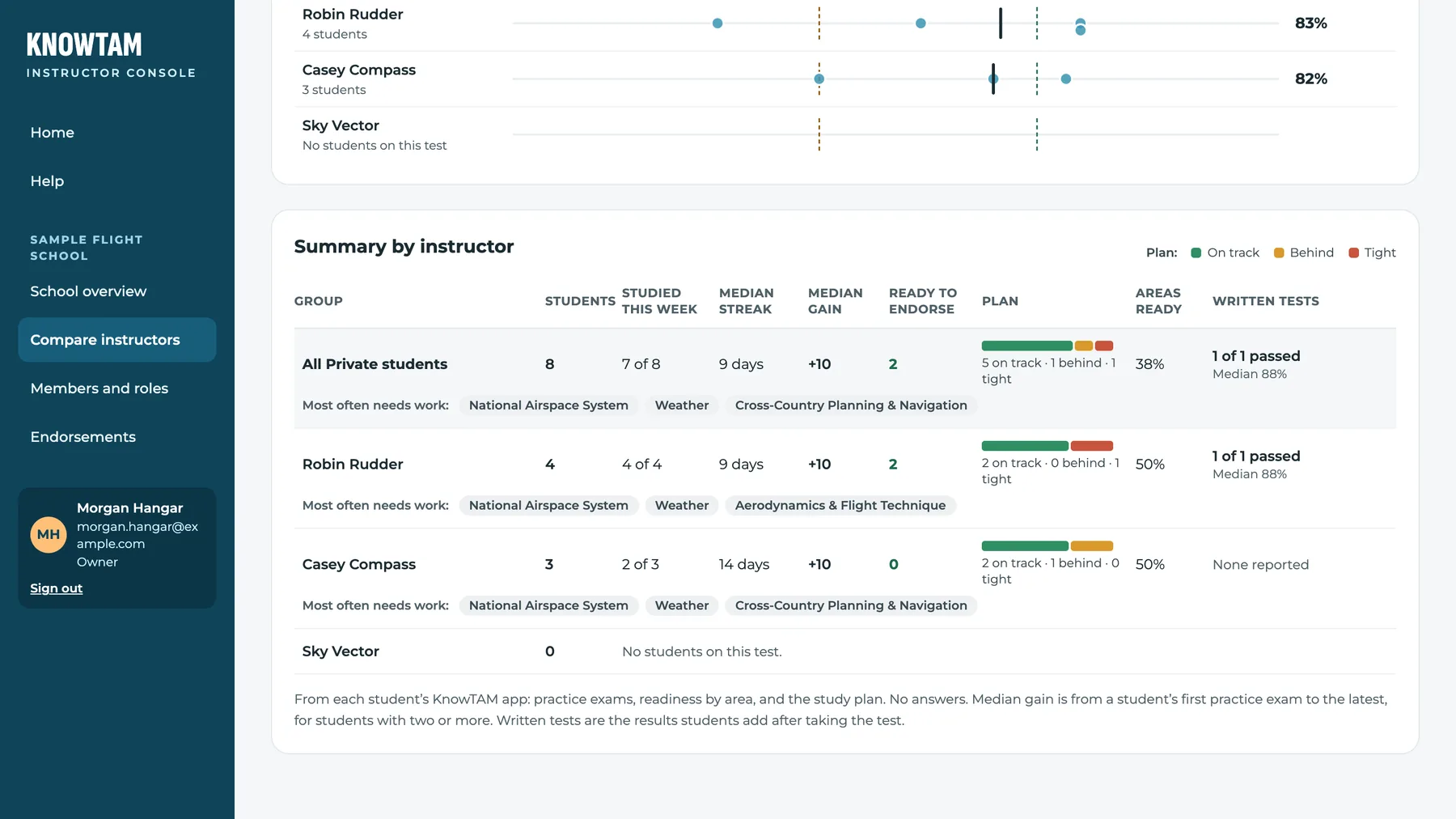
Compare instructors
How each instructor's students are doing, one test at a time: who studied this week, scores,
who is ready to endorse, and the areas that most often need work.
GETTING STARTED
Three steps
1
Add your school
Sign in to the console with your email and send us your school's details. We set it up, and
you're its owner.
2
Invite your instructors
Send each instructor an invite by email, and give your students the school's code.
3
Students join from the app
In KnowTAM they choose Me, then Join a school, enter the code, and approve who sees their
progress. Their reports reach you as they study.
Students stay in charge of what they share
A student approves every link in the app and can end one, or leave the school, at any time.
Their instructors and the Chief Instructor see what they share, including the questions missed.
An owner who isn't an instructor sees scores, readiness, and activity, never the questions
missed or the answers picked.
QUESTIONS
Before you start
What does the console cost?+
Nothing. It's free for flight schools and instructors, with no per-student fees and no contract.
What do my students pay?+
Every course starts free in the app. Students unlock the courses they need with a one-time purchase in the app. The endorsement is included with Private, Instrument, and Commercial.
What do I need to run it?+
A web browser on any computer. There's nothing to install. Your students use the KnowTAM app on iPhone, iPad, or Android.
I teach on my own. Can I use it?+
Yes. Add your school under your own name: you're its owner and its instructor, and your students join with your code.
Which tests can I endorse?+
The Private, Instrument, and Commercial knowledge tests. Endorsements for the instructor tests (FOI, FIA, and FII) aren't offered yet.